> For the complete documentation index, see [llms.txt](https://docs.overthereality.ai/over-sdk-manual/llms.txt). Markdown versions of documentation pages are available by appending `.md` to page URLs; this page is available as [Markdown](https://docs.overthereality.ai/over-sdk-manual/over-visual-scripting-legacy/nodes/components/character-controller.md).
# Character Controller
### Description
[OverNode](/over-sdk-manual/over-visual-scripting-legacy/visual-scripting-essentials/overnode.md) used to interact with Unity's [Character Controller](https://docs.unity3d.com/ScriptReference/CharacterController.html)
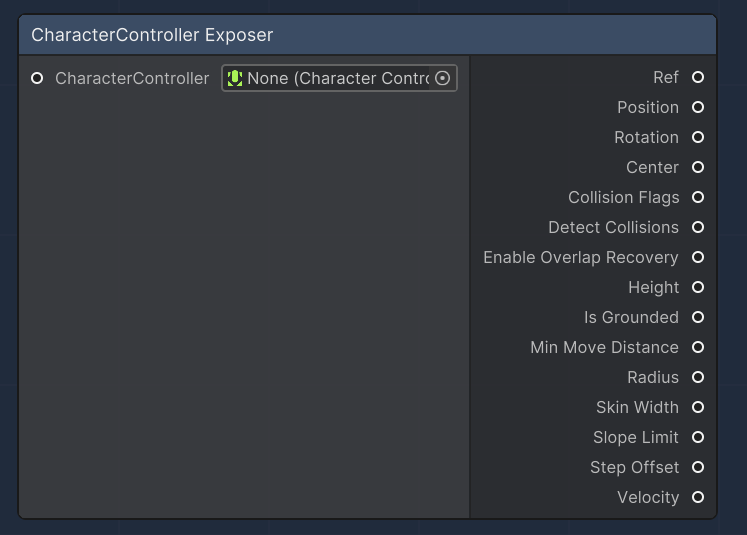
**CharacterController Exposer**
CharacterController Exposer
The "CharacterController Exposer" node provides access to various properties of a CharacterController component. It allows visual scripting to query and utilize properties such as position, rotation, and whether the character is grounded, among others. This node is especially useful for controlling character movement and collision response in a game.
| Name | Type | Description |
| ----------------------- | --------------------- | -------------------------------------------------------------------------------------------------------------------------- |
| CharacterController | `CharacterController` | An input slot that accepts a CharacterController component. |
| Ref | `CharacterController` | An output slot that provides the reference to the input CharacterController. |
| Position | `Vector3` | An output slot that provides the current world position of the character. |
| Rotation | `Quaternion` | An output slot that provides the current world rotation of the character. |
| Center | `Vector3` | An output slot that provides the center of the character's collider relative to its transform. |
| Collision Flags | `CollisionFlags` | An output slot that provides the collision flags that describe how the character last collided with the environment. |
| Detect Collisions | `bool` | An output slot indicating whether collision detection is on or off. |
| Enable Overlap Recovery | `bool` | An output slot indicating whether overlap recovery is enabled, helping the character to get out of overlapping situations. |
| Height | `float` | An output slot that provides the height of the character's collider. |
| Is Grounded | `bool` | An output slot that indicates whether the character is grounded. |
| Min Move Distance | `float` | An output slot that provides the minimum move distance of the character. |
| Radius | `float` | An output slot that provides the radius of the character's collider. |
| Skin Width | `float` | An output slot that provides the skin width used for the character's collider. |
| Slope Limit | `float` | An output slot that provides the maximum slope angle that the character can climb. |
| Step Offset | `float` | An output slot that provides the step offset which determines how high the character can step up. |
| Velocity | `Vector3` | An output slot that provides the current velocity of the character. |
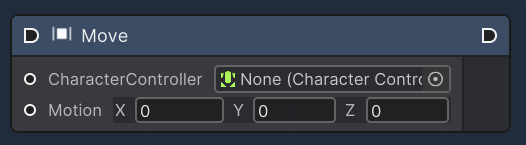
**Move**
Move node
The "Move" node applies a movement vector to a CharacterController, causing it to move through the scene. The node takes a CharacterController and a Vector3 motion input, representing the movement to apply. This could be used to simulate walking, jumping, or other forms of translation based on user input or AI decision-making.
| Name | Type | Description |
| ------------------- | --------------------- | ----------------------------------------------------------------------------------------------------------------- |
| CharacterController | `CharacterController` | An input slot that accepts a CharacterController component to which the motion will be applied. |
| Motion | `Vector3` | An input slot for the Vector3 motion that defines the direction and distance the CharacterController should move. |
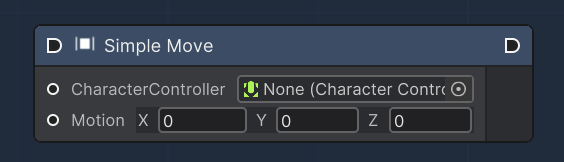
**Simple Move**
Warp To node
The "Simple Move" node automates the movement of a CharacterController along a plane, typically the ground, based on a speed vector. Unlike the "Move" node, "Simple Move" takes into account the character's speed and gravity. It is used for simpler movement scenarios where the agent needs to be grounded and affected by gravity, such as walking on a flat surface.
| Name | Type | Description |
| ------------------- | --------------------- | ----------------------------------------------------------------------------------------------- |
| CharacterController | `CharacterController` | An input slot that accepts a CharacterController component to which the motion will be applied. |
| Motion | `Vector3` | An input slot for the Vector3 representing the movement speed in a particular direction. |