> For the complete documentation index, see [llms.txt](https://docs.overthereality.ai/over-sdk-manual/llms.txt). Markdown versions of documentation pages are available by appending `.md` to page URLs; this page is available as [Markdown](https://docs.overthereality.ai/over-sdk-manual/over-visual-scripting-legacy/nodes/operations/lists.md).

# Lists

### Description

The List nodes provide several operations, specifically used for handling Lists in Over SDK.

### OverList Component

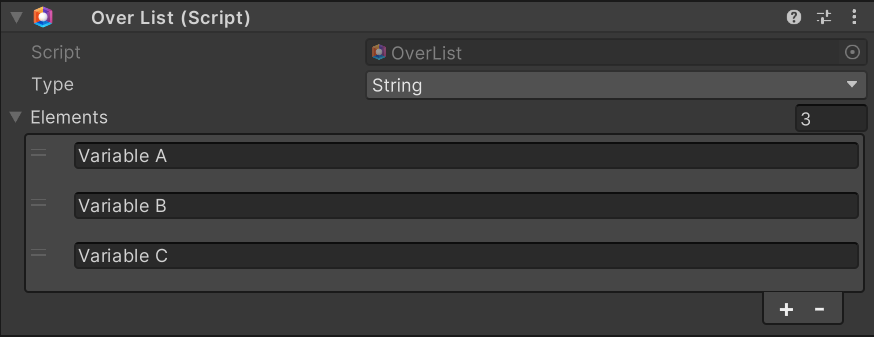
<figure><img src="/files/a6PVT0oRU80tpBMHwvqu" alt=""><figcaption><p>Example of OverList component</p></figcaption></figure>

To use Lists, an OverList Component is required. It allows to define a custom list, ready to be used in the Visual Scripting System. The main parameters to be customized are:<br>

<table><thead><tr><th>Name</th><th width="179.2246866720682">Type</th><th width="340.1572968009442">Description</th></tr></thead><tbody><tr><td>Type</td><td>Enum</td><td>The type of the elements contained in the List.</td></tr><tr><td>Elements</td><td>List</td><td>List of elements contained in the List.</td></tr></tbody></table>

### Nodes

#### Base

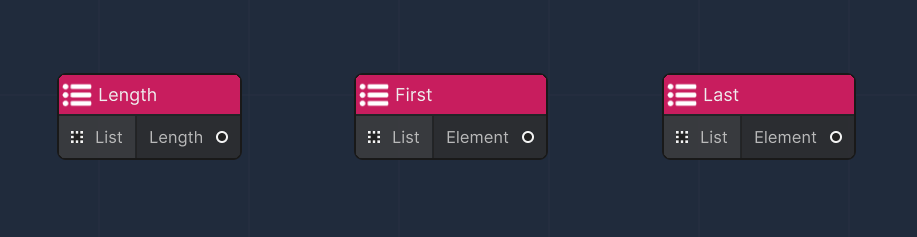
<figure><img src="/files/SrC69pHgxTVU6xX6EyaE" alt=""><figcaption><p>Common list nodes</p></figcaption></figure>

The most basic kind of operations applicable to lists do not require Flow Nodes:&#x20;

<table><thead><tr><th width="204">Node</th><th>Description</th></tr></thead><tbody><tr><td>Length</td><td>Returns the total length of the list</td></tr><tr><td>First</td><td>Returns the first value of the list</td></tr><tr><td>Last</td><td>Returns the last value of the list</td></tr></tbody></table>

#### Common

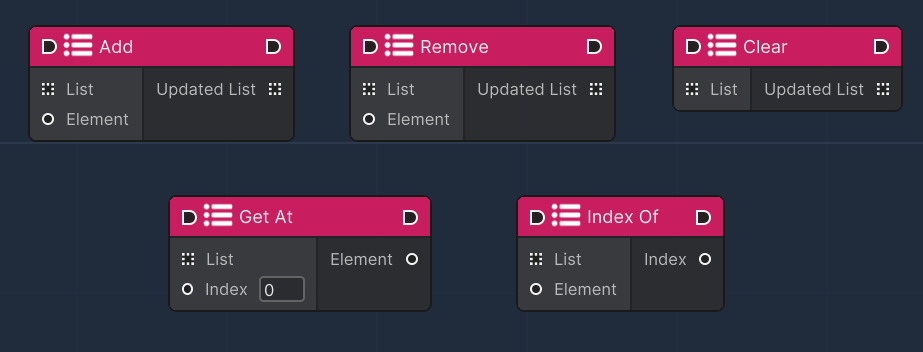
<figure><img src="/files/a8y2wUYpDdyzcCBFCRaJ" alt=""><figcaption><p>Form Field node</p></figcaption></figure>

These nodes are responsible for implementing common list operations that require Flow Nodes to operate:

<table><thead><tr><th width="204">Node</th><th>Description</th></tr></thead><tbody><tr><td>Add</td><td>Adds an Element to a List (it must be the same type of the list type)</td></tr><tr><td>Remove</td><td>Removes an Element to a List (it must be the same type of the list type)</td></tr><tr><td>Clear</td><td>Clears the entire List from it's Elements</td></tr><tr><td>Get At</td><td>Gets an Element from the List at given Index</td></tr><tr><td>Index Of</td><td>Returns the Index of a given Element of the list (-1 if the element is not in the list)</td></tr></tbody></table>

#### Advanced

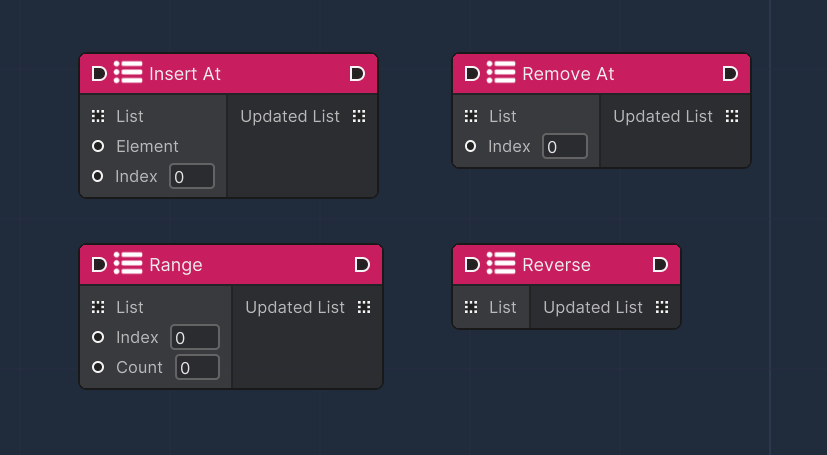
<figure><img src="/files/HQNKBAvuMYW610rzE1Dc" alt=""><figcaption></figcaption></figure>

These nodes are responsible for implementing more advanced list operations that require Flow Nodes to operate:

<table><thead><tr><th width="204">Node</th><th>Description</th></tr></thead><tbody><tr><td>Insert At</td><td>Insert an Element at a given Index</td></tr><tr><td>Remove At</td><td>Remove an Element at a given Index</td></tr><tr><td>Range</td><td>Selects a subsection of a List</td></tr><tr><td>Reverse</td><td>Returns the reversed version of the List </td></tr><tr><td>Index Of</td><td>Returns the Index of a given Element of the list (-1 if the element is not in the list)</td></tr></tbody></table>

#### Boolean

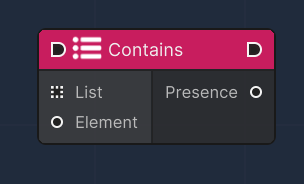
<figure><img src="/files/5vcvWULO5sq7UEPDaFhg" alt=""><figcaption></figcaption></figure>

These nodes are responsible for implementing boolean list operations that require Flow Nodes to operate:

<table><thead><tr><th width="204">Node</th><th>Description</th></tr></thead><tbody><tr><td>Contains</td><td>Checks if an Element is contained in List</td></tr></tbody></table>