> For the complete documentation index, see [llms.txt](https://docs.overthereality.ai/over-sdk-manual/llms.txt). Markdown versions of documentation pages are available by appending `.md` to page URLs; this page is available as [Markdown](https://docs.overthereality.ai/over-sdk-manual/over-visual-scripting-legacy/visual-scripting-essentials/overgraph.md).
# OverGraph
### Description
In order to use the [OverNodes](/over-sdk-manual/over-visual-scripting-legacy/visual-scripting-essentials/overnode.md) to build complex logic, the OVER SDK provides the user with a visual tool, called [OverGraph](/over-sdk-manual/over-visual-scripting-legacy/visual-scripting-essentials/overgraph.md).
An [OverGraph](/over-sdk-manual/over-visual-scripting-legacy/visual-scripting-essentials/overgraph.md) is the Unity Asset in which you can create your visual scripting flow.
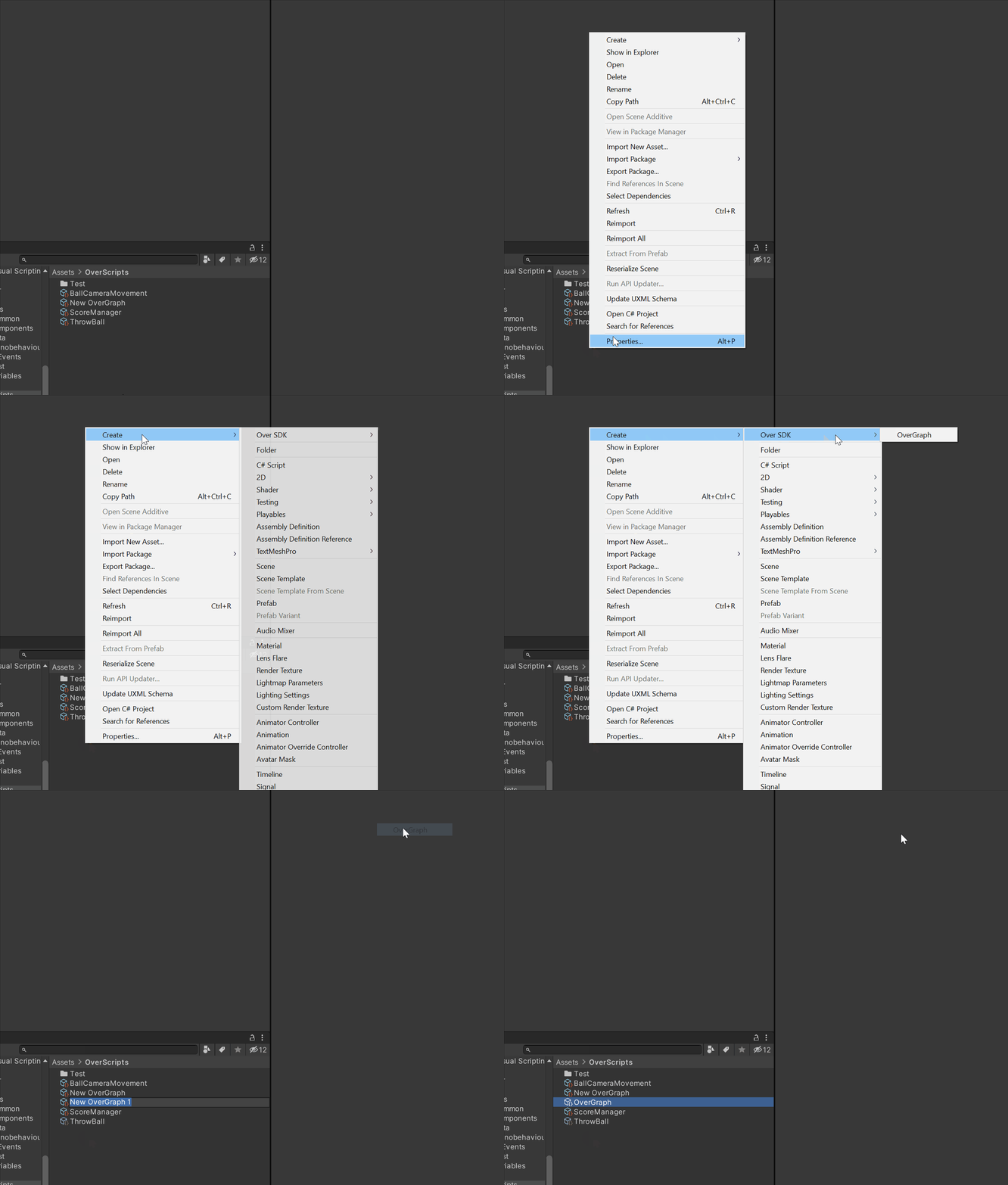
To create an [OverGraph](/over-sdk-manual/over-visual-scripting-legacy/visual-scripting-essentials/overgraph.md), right-click in Project view in Unity, then Create > Over SDK > [OverGraph](/over-sdk-manual/over-visual-scripting-legacy/visual-scripting-essentials/overgraph.md). By selecting it, the user can open the Inspector and edit this information, such as the Name of the Graph.
Each [OverGraph](/over-sdk-manual/over-visual-scripting-legacy/visual-scripting-essentials/overgraph.md) can be opened by double-clicking on it, or by pressing the Open button on the top right corner of the Inspector view.
Creation process of an OverGraph
#### OverGraph Window
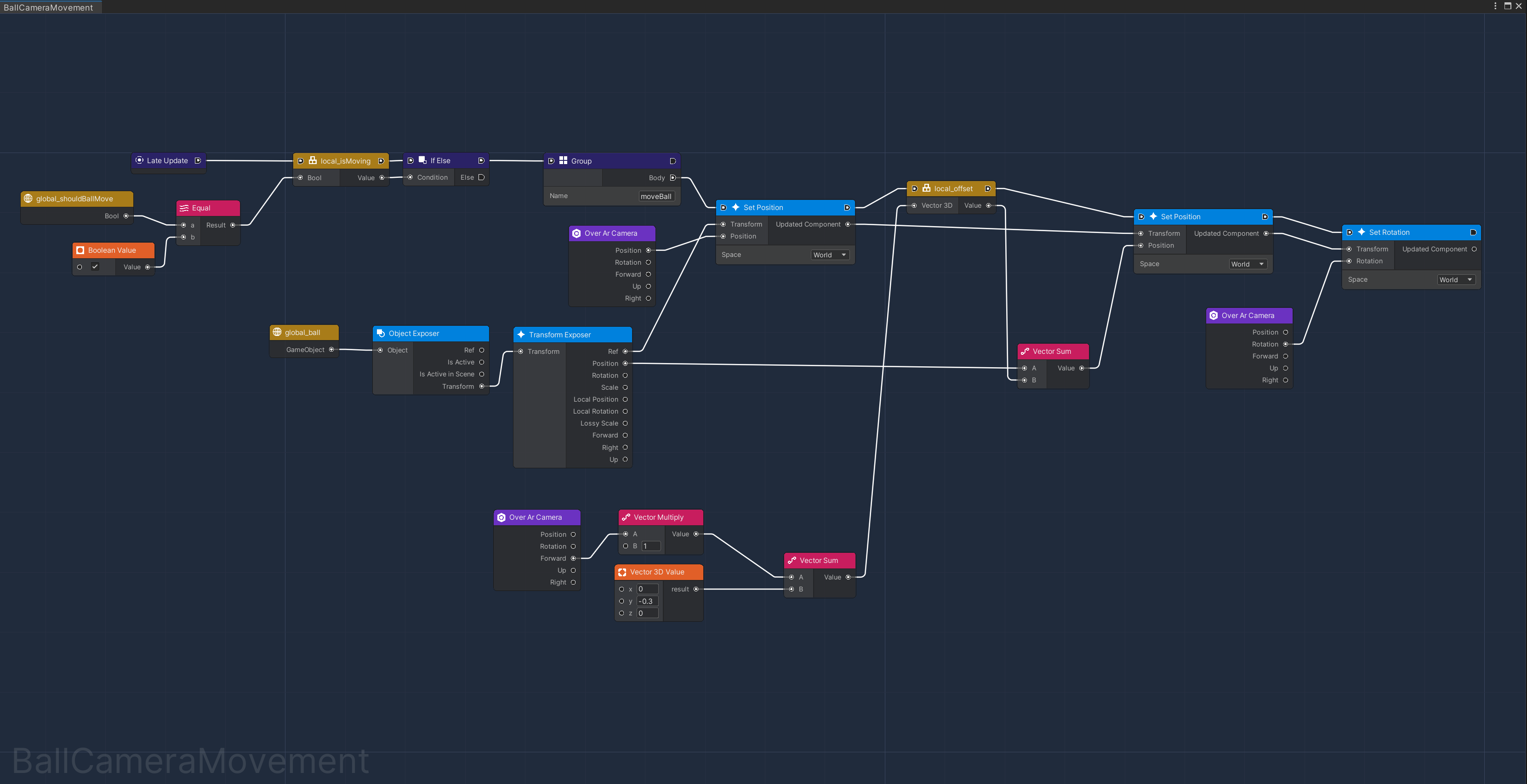
Once opened, the User will be presented with a window, resembling a blackboard. In the bottom left corner, the name of the Graph (edited via Inspector) will be visible.
Example of a complex OverGraph
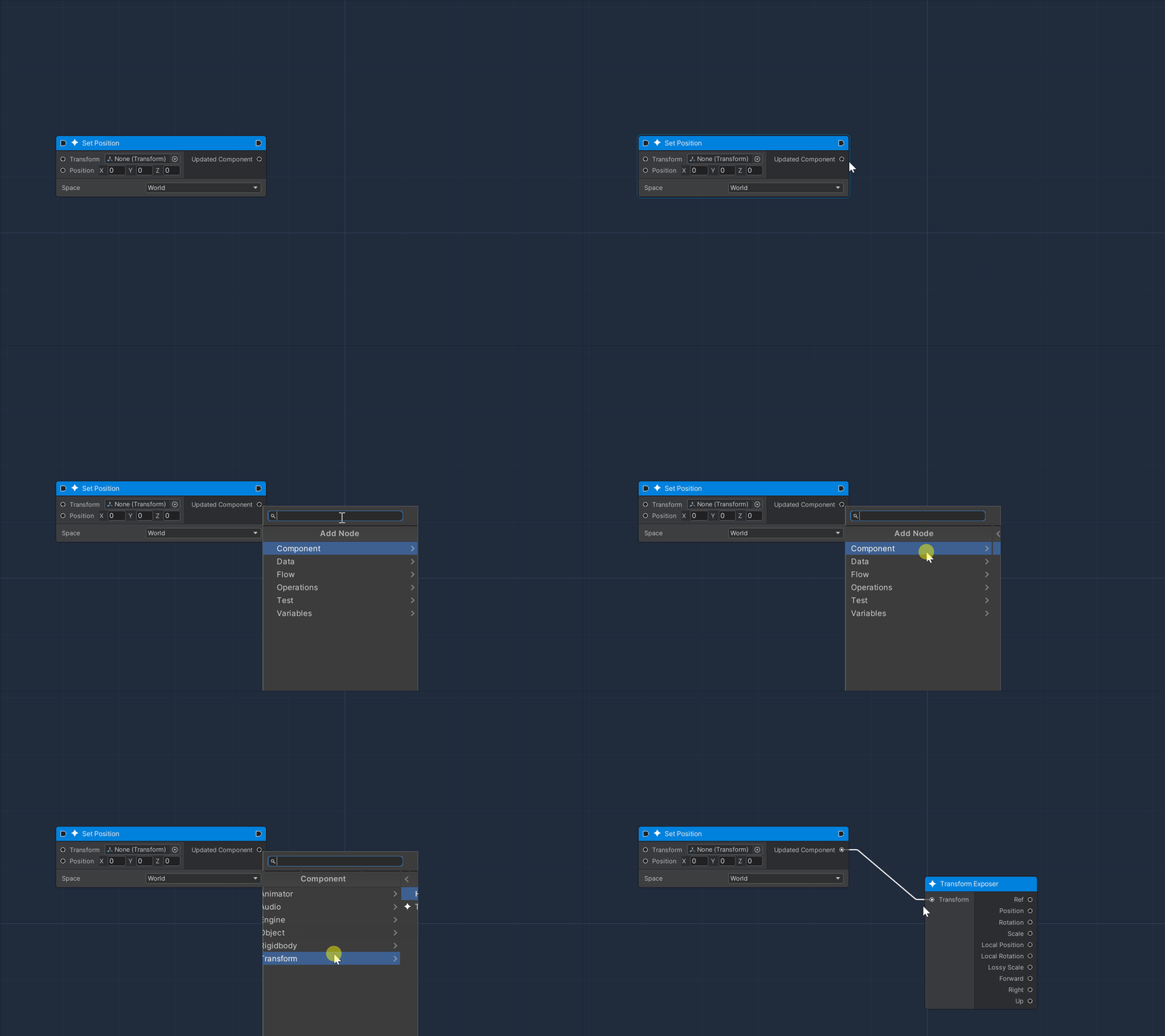
To add a new node from scratch, right-click anywhere inside the window and a search window will appear.
This could either be navigated by mouse, by expanding each collection inside the sub-folders, or by typing in the search bar.
In any case, nodes are represented by the search results with an icon, which specifies the category of the node to be added.
By clicking on a search result, a node will appear in the same position as the mouse's right click.
Example of Search Window usage
The creation of a new Node can also be accomplished by dragging a port: by releasing it in the empty space the search window will appear. In this case, only the nodes compatible with the dragged port will be visible and selectable.