> For the complete documentation index, see [llms.txt](https://docs.overthereality.ai/over-sdk-manual/llms.txt). Markdown versions of documentation pages are available by appending `.md` to page URLs; this page is available as [Markdown](https://docs.overthereality.ai/over-sdk-manual/over-visual-scripting-legacy/visual-scripting-essentials/overscript.md).
# OverScript
### Description
In order to use the [OverGraph](/over-sdk-manual/over-visual-scripting-legacy/visual-scripting-essentials/overgraph.md), you need to assign an [OverScript](/over-sdk-manual/over-visual-scripting-legacy/visual-scripting-essentials/overscript.md) to a GameObject and assign the GameObject to the OverGraph.
The purpose of an [OverScript](/over-sdk-manual/over-visual-scripting-legacy/visual-scripting-essentials/overscript.md) is to provide a bridge between the logic, described by the [OverGraph](/over-sdk-manual/over-visual-scripting-legacy/visual-scripting-essentials/overgraph.md), and Unity itself, which is responsible for compiling and executing it.
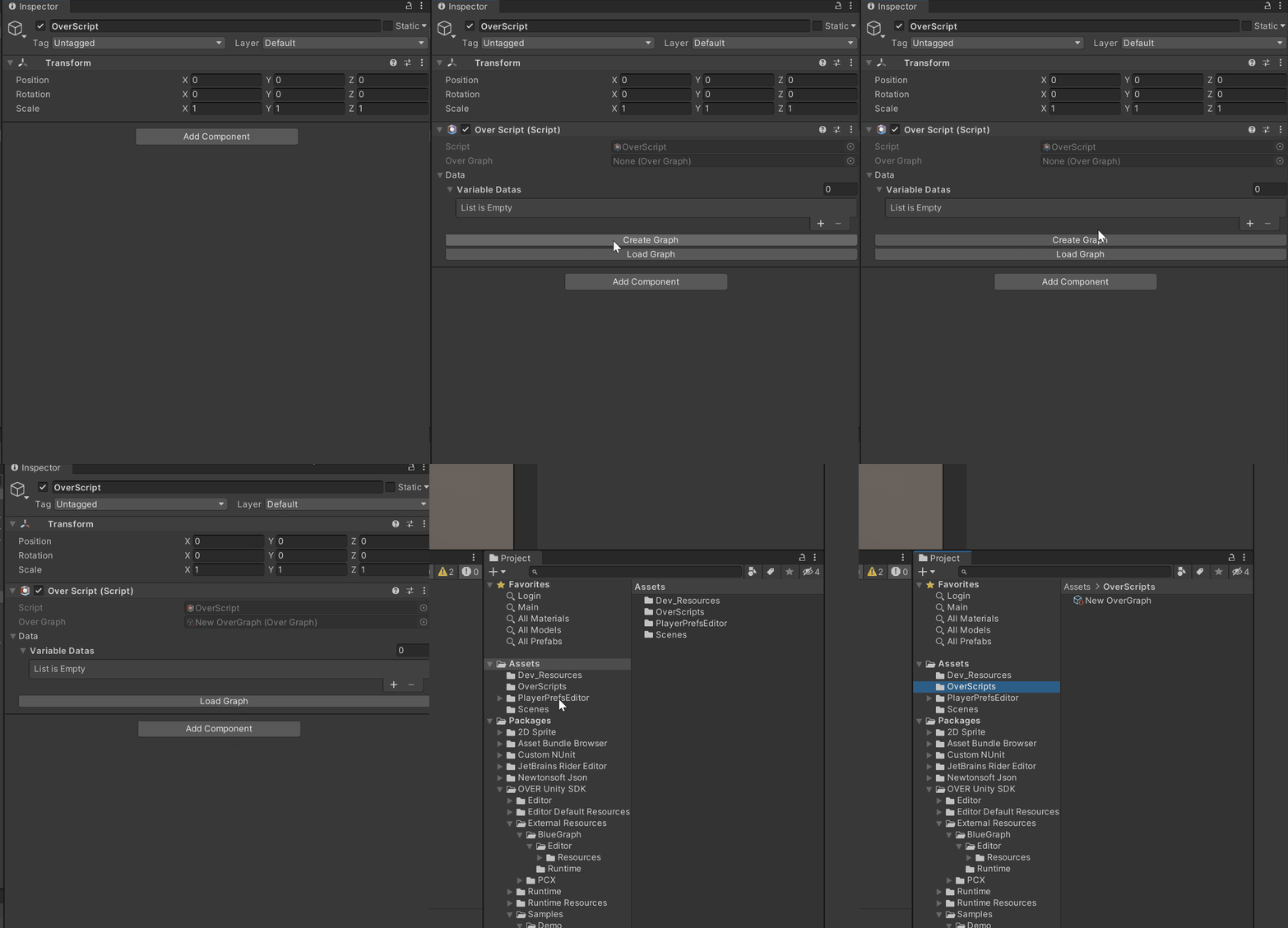
To add an [OverScript](/over-sdk-manual/over-visual-scripting-legacy/visual-scripting-essentials/overscript.md) to the project, simply create a new GameObject and add a new [OverScript](/over-sdk-manual/over-visual-scripting-legacy/visual-scripting-essentials/overscript.md) Component to it.
To add an [OverGraph](/over-sdk-manual/over-visual-scripting-legacy/visual-scripting-essentials/overgraph.md) to this script, the User can either create a new [OverGraph](/over-sdk-manual/over-visual-scripting-legacy/visual-scripting-essentials/overgraph.md) and drag and drop it in the OverGraph field, or by pressing the Create New Script button. This will automatically create and assign a new [OverGraph](/over-sdk-manual/over-visual-scripting-legacy/visual-scripting-essentials/overgraph.md).
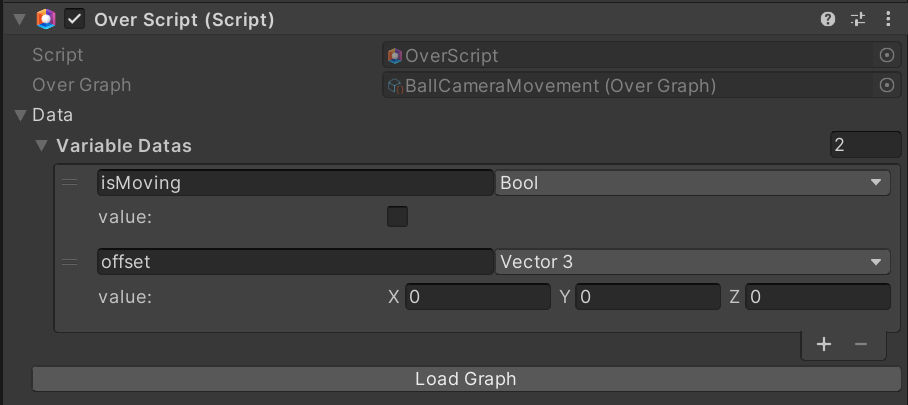
Example of OverScript
An integral component of the script management system is the [OverScriptManager](/over-sdk-manual/over-visual-scripting-legacy/visual-scripting-essentials/overscriptmanager.md), which needs to be added in the Scene in order to unlock all the features of the scripting system.
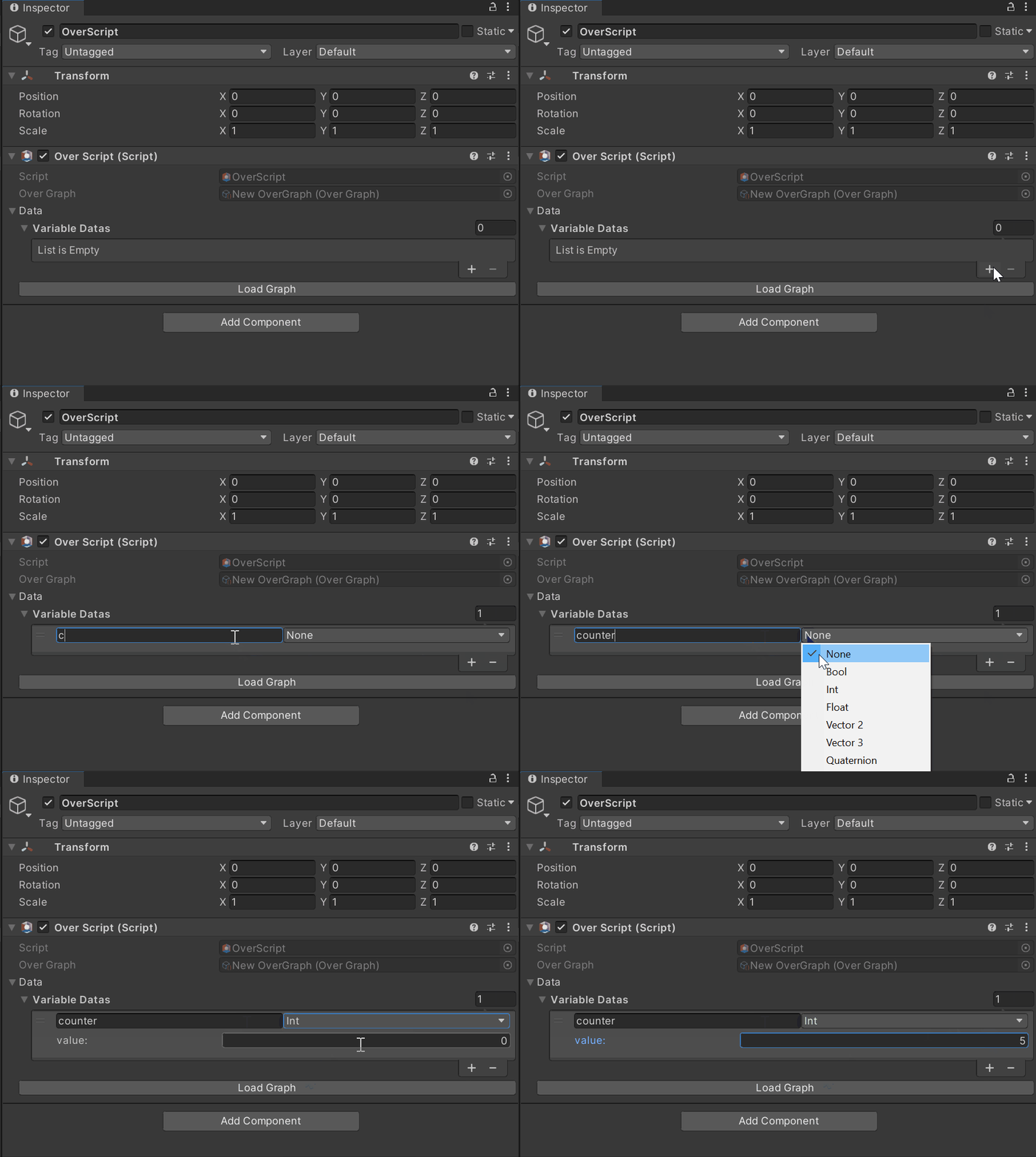
Each [OverScript](/over-sdk-manual/over-visual-scripting-legacy/visual-scripting-essentials/overscript.md) contains a list of local variables. Local means that only this specific script can access and edit them.
For global variables, i.e. variables shared between [OverScripts](/over-sdk-manual/over-visual-scripting-legacy/visual-scripting-essentials/overscript.md), these must be entered within the OverScript Manager
Once a variable is defined, it can be directly added to the Graph as a Node and used in Visual Scripting.
{% hint style="info" %}
**Note**: in order for the [OverScript ](/over-sdk-manual/over-visual-scripting-legacy/visual-scripting-essentials/overscript.md)to work properly in app, it needs to be a child of an [OvrAsset](/over-sdk-manual/sdk-window/over_asset.md)
{% endhint %}