> For the complete documentation index, see [llms.txt](https://docs.overthereality.ai/over-sdk-manual/llms.txt). Markdown versions of documentation pages are available by appending `.md` to page URLs; this page is available as [Markdown](https://docs.overthereality.ai/over-sdk-manual/sdk-editor/overview.md).
# Overview
Our OVER SDK enables developers to integrate, interact with, and publish experiences directly to our platforms. Designed for simplicity and flexibility, the SDK provides tools to streamline development and deployment.
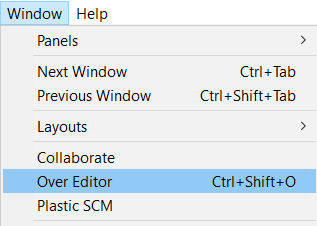
To access the SDK, simply go to the **Window** menu in Unity and look for the **Over Editor** option.
Once opened, you will need to log in using the **access token** generated \[[here](https://builder.ovr.ai/dash/unity-sdk)]. Navigate to the **Over Editor** window in Unity, enter your token, and authenticate to start using the SDK.